skribbl.io
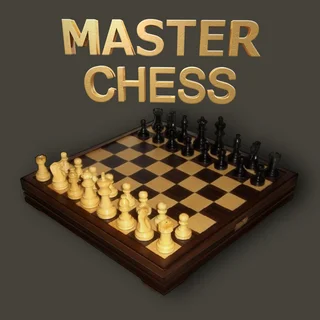
Master Chess

Chess Multiplayer
Color Crash

Yummy Ice Cream Factory

Paint Strike
Drawing Contest
Scribble!
Draw Pixel Art
One Line Draw
Draw the Hill
BrushBattle
Classic Chess Unblocked — Play Free Online
Board & CardsClassic Chess unblocked: play Classic Chess online free right here in your browser — no download, no sign-up, works on a school Chromebook.
Play Classic Chess free online in your browser. Master tactical piece movements, control the board center, and checkmate your opponent with no downloads.
Classic Chess brings the legendary two-player strategy game directly to your browser with a clean board and zero setup required. Whether you are taking a break from fast multiplayer drawing matches or looking to sharpen your tactical thinking, a traditional chess match offers timeless competitive depth.
Each match takes place on the standard 64-square grid where both sides command sixteen pieces: pawns, knights, bishops, rooks, a queen, and a king. The goal remains unchanged from standard chess: anticipate your opponent's maneuvers, control key territory across the center of the board, and corner the opposing king into checkmate.
How to play
Playing Classic Chess requires only a mouse or touchscreen. Click or tap any piece on your turn to highlight its valid destinations across the board, then select the target square to execute your move. If you change your mind before committing to a move, clicking a different piece switches your selection immediately.
Standard movement rules apply across the entire roster:
- Pawns: Advance one square forward (or two squares on their initial move) and capture diagonally one square ahead.
- Knights: Leap over other pieces in an L-shaped path consisting of two squares in one direction and one square perpendicular.
- Bishops: Glide diagonally along their starting color across any distance of unobstructed squares.
- Rooks: Travel horizontally or vertically along open rows and columns to control long lanes.
- Queens: Combine the mobility of rooks and bishops, sliding in any straight direction across clear squares.
- Kings: Step one square in any direction and require vigilant defense against check and checkmate.
Opening tips for stronger games
- Claim the center early: Advance central pawns on your opening turns to stake a claim on key central squares and open diagonals for your bishops.
- Develop minor pieces: Bring knights and bishops into active positions before launching aggressive attacks with your queen.
- Protect your king: Castle your king toward safety behind a solid wall of pawns while activating your rook along central files.
- Scan for undefended pieces: Before making any move, check whether your target square is safe and confirm your own pieces remain guarded.
Other brain and puzzle games on Skribbl.io
While Skribbl.io focuses primarily on lively drawing and guessing rooms like skribbl.io and Drawing Contest, you can also explore thoughtful puzzle experiences across the catalog. Players who enjoy calculating moves in Classic Chess can test their line-drawing precision in One Line Draw or build careful designs in Draw Pixel Art.
Questions about Classic Chess
Is Classic Chess unblocked at school?
Classic Chess runs in an ordinary browser tab from skribblio.org, with nothing to download or install, so it plays on most school Chromebooks and work computers. If a network filter blocks the site, only that network's administrator can change it.
How do you win a match in Classic Chess?
You win by placing the opponent's king in checkmate, which means the king is under direct attack and has no legal moves to escape capture.
Can you play Classic Chess on mobile devices?
Yes, Classic Chess runs in any modern mobile browser with tap-friendly controls for selecting and moving pieces on touchscreens.
Do you need to install any software to play Classic Chess?
No downloads or plugins are required. The game loads directly inside your web browser and is ready to play immediately.